 EngToolbox
EngToolbox
EngToolbox
EngToolbox is a growing family of web applications built where engineering software usually fails: in the gap between developers and the people doing the work. Born from 18+ years in oil & gas and petrochemical projects, each tool does one job properly: inspection reporting, hazardous area compliance and tool control, without the complexity or the price tag of enterprise systems. Nothing to install, nothing to license per seat: they run in any browser, work on a phone in the field and a desktop in the office, and keep your data on your own server.
The Applications See what they do
 InspectDesk
InspectDesk turns a mechanical inspection job into one clean report: strip-down findings, dimensional measurements, parts lists, annotated photos, client drawings and NDT certificates, all in nine simple tabs. When the work is done, one click produces a professional PDF on your own letterhead, or a complete MDR zip with every photo, drawing and certificate foldered for handover. Every save is snapshotted for a full audit trail, report numbers stay unique, and duplicate-proof records keep the register honest. It replaces the Word-template-and-shared-folder chaos that every workshop knows too well.
About InspectDesk
 ExDesk
ExDesk manages EEHA equipment inspections to IEC 60079-17 without spreadsheets or chasing. The admin builds the register once with equipment tags, Ex markings, GPS positions and inspection intervals, then prints QR labels. Inspectors scan a label in the plant, tick a Pass/Fail checklist on their phone, photograph and annotate any defect, and submit even from Wi-Fi dead spots. Engineers approve on desktop; approval rolls the next due date forward automatically. Every Fail opens a defect that closes itself when the item passes again, the dashboard shows overdue equipment in red, and letterhead PDFs are one click away.
About ExDesk
 ToolDesk
ToolDesk is the tool crib on your phone. Each tool carries a QR label: scan it, enter the docket number, pick the project, snap a condition photo, and it's signed out. Calibration and certification dates are enforced automatically: an expired torque wrench simply refuses to leave the crib. Returns take seconds, and reporting damage instantly quarantines a tool until it's repaired and cleared. Behind the scenes every sign-out becomes an internal hire cost per project, and one Reports menu prints custody lists, outstanding items, damage registers and cost statements, the paperwork that used to take an afternoon.
About ToolDesk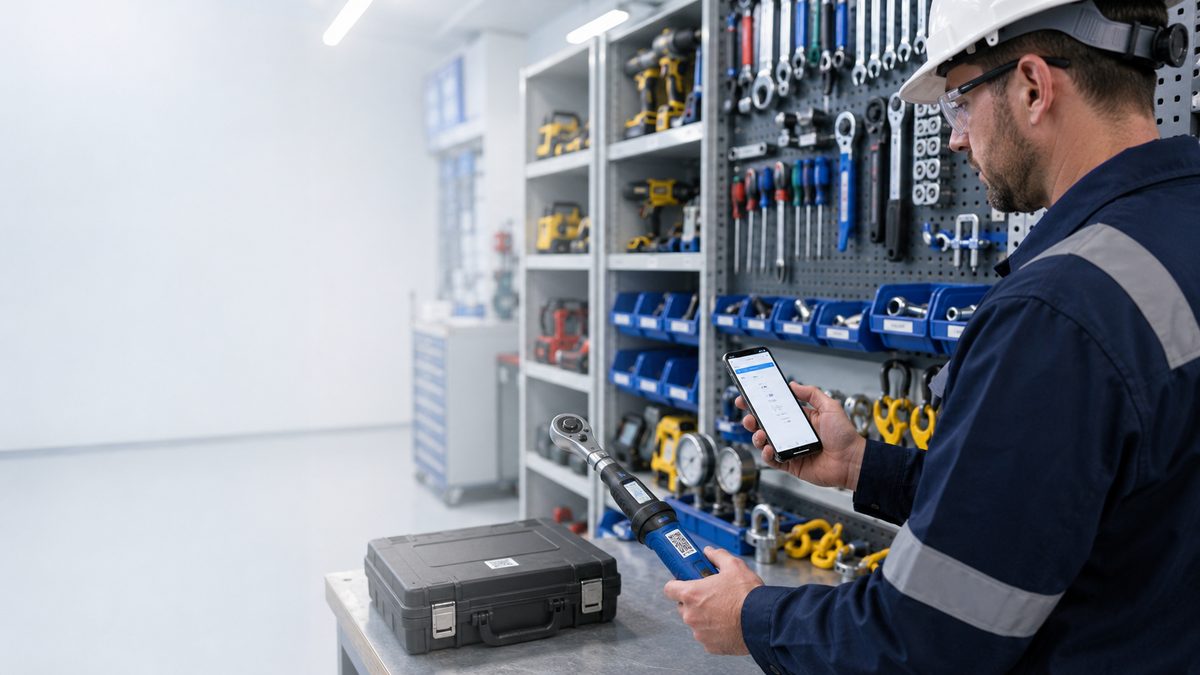
 M
M
I am Mahdi, a mechanical engineer with more than 18 years in oil & gas and petrochemical projects. I started at the drawing board as a draftsman, grew into consulting engineering, and spent years advising clients on mechanical design, with strong hands-on background in procurement, inspection and construction. Along the way I kept meeting the same problem: engineering software that's too complicated, unpleasant to use, or priced beyond project budgets, because there's a real gap between the people who build online tools and the people who do the work. EngToolbox is my answer: simple, professional, efficient applications, one honest job at a time.

Read what each application does.